


Microsoft Security Copilot has moved from pilot programs into everyday SOC work faster than almost any other security tool in recent memory. By 2027, it’s no longer a novelty bolted onto Defender and Sentinel it’s become a standard part of how mid-sized and enterprise security teams triage alerts, investigate incidents and report to leadership. For anyone building or maintaining a cybersecurity career, understanding what it actually changes and what it doesn’t matters more than ever.
This guide breaks down what Microsoft Security Copilot does, how it’s reshaping day-to-day security operations, which skills and certifications still matter in an AI-assisted SOC, and how Logitrain’s cybersecurity certifications fit into that picture.
What Is Microsoft Security Copilot?
Microsoft Security Copilot is a generative AI assistant built into the Microsoft security ecosystem Defender, Sentinel, Entra and Intune. Instead of manually correlating logs across multiple dashboards, analysts can ask plain-language questions (“Summarise this incident,” “What’s the blast radius of this alert?”) and get a structured, evidence-backed answer drawn from the organisation’s own telemetry.
It doesn’t replace the underlying tools it sits on top of them, translating raw signal into something a human can act on faster.
For the official product details, see Microsoft Security Copilot — Microsoft.
How Microsoft Security Copilot Is Changing Security Operations in 2027
Faster Incident Investigation
What used to take a Tier 1 analyst 45 minutes of cross-referencing logs now takes a few minutes of prompt-and-review. Copilot pulls context from across the Microsoft security stack automatically, which has measurably cut mean-time-to-triage in organisations that have adopted it at scale.
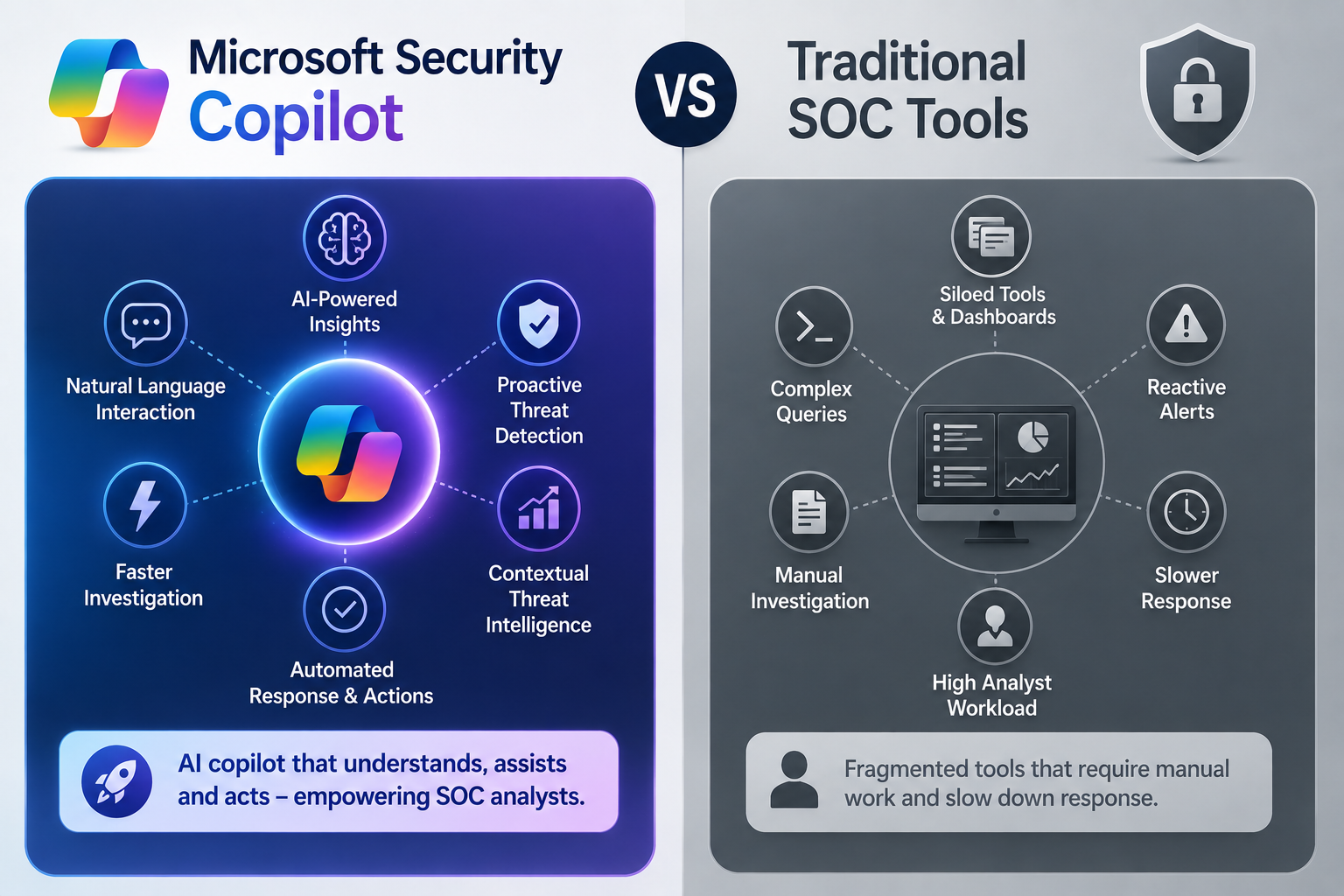
Microsoft Security Copilot vs Traditional SOC Tools
| Aspect | Microsoft Security Copilot | Traditional SOC Tools |
| Primary function | AI copilot layered across Microsoft security tools (Defender, Sentinel, Entra) | Individual platforms for SIEM, EDR, or identity — no unifying AI layer |
| Investigation speed | Summarises incidents and suggests next steps in natural language, in minutes | Manual correlation across logs and dashboards, often hours per incident |
| Skill barrier for junior analysts | Lower plain-language prompts replace complex query syntax | Higher requires KQL, query languages or platform-specific scripting |
| Reporting | Auto-generates incident summaries and executive-ready reports | Analysts manually write up findings |
| Where it fits | Sits on top of existing Microsoft security stack (Defender, Sentinel) | Each tool operates independently, often needing separate expertise |
| Human oversight needed | Yes recommendations still require analyst validation | Yes full manual analysis and decision-making |
Skills Security Professionals Need to Work Alongside Security Copilot
- Prompt literacy — knowing how to ask Copilot the right question to get a useful answer
- Validation judgement — the ability to check AI-generated findings against raw evidence before acting
- Core security fundamentals — Copilot summarises faster, but analysts still need to understand what they’re looking at
- Familiarity with Defender, Sentinel and Entra — Copilot is only as useful as the platforms it draws from
Career Impact: Is Security Copilot a Threat or Opportunity for Analysts?
The honest answer is both, depending on how an analyst responds. Repetitive Tier 1 triage work the kind that involved manually checking the same log patterns dozens of times a shift is shrinking. What’s growing is demand for analysts who can supervise, validate and act on AI-assisted findings, and who understand the underlying security concepts well enough to catch it when the AI gets something wrong.
Organisations consistently report that they still need certified, fundamentals-strong analysts they just need fewer of them doing pure manual triage and more of them doing judgement-based investigation and response.
Certifications That Prepare You for AI-Driven Security Operations
A handful of certifications map directly onto the skills an AI-assisted SOC actually rewards:
| Certification | Full Name | Why It Matters for Security Copilot |
| SC-900 | Microsoft Security, Compliance & Identity Fundamentals | Entry point understand the Microsoft security ecosystem Copilot sits within |
| SC-200 | Microsoft Security Operations Analyst | Directly relevant covers Defender and Sentinel, the tools Copilot works alongside |
| Security+ | CompTIA Security+ | Foundational security concepts every SOC analyst still needs regardless of AI tooling |
| CySA+ | CompTIA Cybersecurity Analyst | Builds the analytical judgement needed to validate AI-generated recommendations |
Logitrain runs live online training covering these pathways through its cybersecurity certification courses and beginner-friendly cybersecurity course programs, both structured around where the industry is actually hiring not just exam content.
Microsoft Security Copilot / AI-SOC Skills Demand Across Australia
Adoption of AI-assisted security operations and demand for analysts who can work alongside it varies by city and sector:
| City | Security Copilot / AI-SOC Skills Demand |
| Sydney | High demand — financial services SOCs adopting Copilot-assisted triage first |
| Melbourne | Strong demand across enterprise and healthcare security teams |
| Brisbane | Growing demand tied to government and critical infrastructure security programs |
| Perth | Steady demand from mining and resources sector security operations |
| Adelaide | Emerging demand from defence-sector cybersecurity roles |
| Canberra | High demand — Commonwealth agencies piloting AI-assisted security operations |
Frequently Asked Questions About Microsoft Security Copilot
Does Microsoft Security Copilot replace SOC analysts?
No. It removes repetitive manual correlation work but still requires a human analyst to validate findings, make judgement calls, and handle anything outside the AI’s training patterns.
What skills should I learn to work with Microsoft Security Copilot?
Core security fundamentals first (Security+, CySA+), then Microsoft-specific tools (SC-200 covering Defender and Sentinel), plus practical prompt literacy for getting useful output from the AI itself.
Is Microsoft Security Copilot only for large enterprises?
It started there, but by 2027 mid-sized organisations are adopting it too, particularly those already running Microsoft Defender or Sentinel, since Copilot integrates directly with tools they already have.
Will AI tools like Security Copilot reduce cybersecurity job demand?
Demand for pure manual-triage roles is shrinking, but demand for analysts who can supervise and validate AI-assisted findings is growing the skillset required is shifting rather than disappearing.
What certification should I start with if I want an AI-driven SOC career?
Start with CompTIA Security+ for foundations, then move to Microsoft SC-200 if your target organisation runs Defender and Sentinel that combination covers both the fundamentals and the specific platform Copilot works within.
Final Verdict: Microsoft Security Copilot and the Future of Security Operations
Microsoft Security Copilot is genuinely changing how security operations run in 2027 faster triage, auto-generated reporting, and a lower barrier to entry for complex investigations. But it hasn’t removed the need for certified, fundamentals-strong analysts; it’s changed what those analysts spend their time doing. The professionals who thrive alongside it are the ones who pair core security certifications with genuine platform familiarity, not the ones who skip the fundamentals and rely on the AI alone.
Ready to build the skills that hold up in an AI-assisted SOC? Explore Logitrain cybersecurity certifications and get started with live online classes available across Australia.